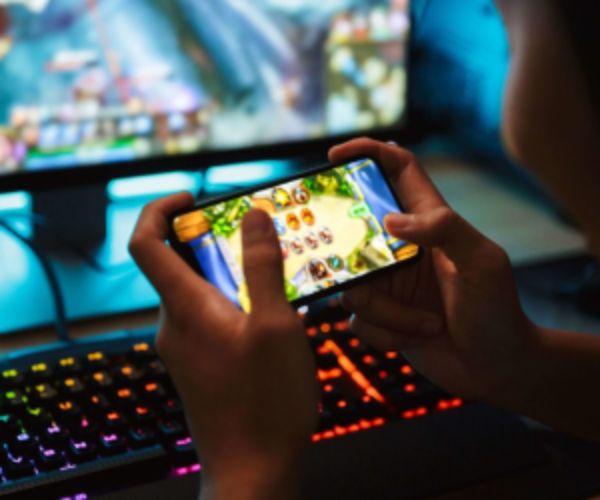
Your gaming setup can be the perfect space to play better and with more immersion.
Creating a gaming setup from scratch may seem complicated at first, but in practice it is simpler than it looks.
With the right choices, you can build a comfortable space, functional and one that greatly improves your gaming experience.
And no, you do not need to start with everything perfect! The secret is to build it and improve it over time, shall we?
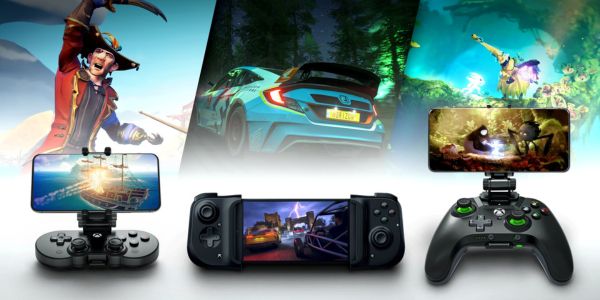
What you absolutely need in a comfortable gaming setup
A comfortable gaming setup starts with getting the basics right, without overdoing it and without focusing only on aesthetics.
Advertisement
Before thinking about lighting or decoration, you need to make sure your space works well in everyday use.
This involves comfort, performance, and organization, all working together.
When these points are aligned, gaming stops being tiring and becomes enjoyable.
Some elements are essential at the beginning:
- Comfortable chair for long sessions
- proper desk with enough space
- Well-positioned monitor to avoid eye strain
- Quality peripherals for better performance
- Good lighting to avoid straining your eyes
These items form the foundation of any efficient gaming setup and ensure greater comfort, performance, and stability during use.
Advertisement
👉 Without this foundation, the rest will not provide the same experience and may even limit your gaming performance.
How to choose the ideal chair for long sessions
Choosing a gaming chair is one of the most important parts of your setup.
You may ignore this at first, but after hours of gaming, you will feel the difference.
A good chair needs to provide back support and lasting comfort. It is also important that it has height and recline adjustments.
This helps adapt the chair to your body and your desk.
Another relevant point is the material, which should be durable and comfortable.
Here is a simple comparison:
| Chair type | Advantages | Recommended for |
|---|---|---|
| Basic | low cost | beginners |
| Gaming | ergonomics and style | frequent use |
| Ergonomic adjustment | maximum comfort | long sessions |
👉 Remember: investing in comfort now prevents problems in the future.
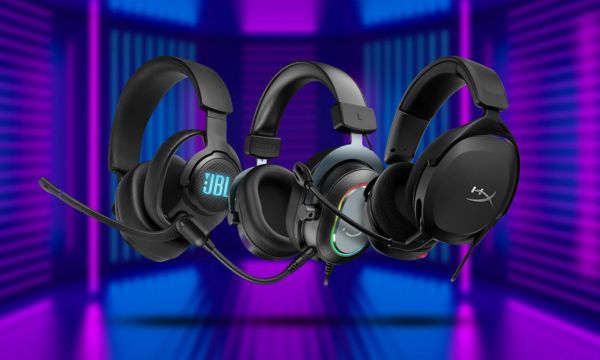
Headphones: Immersion and Sound Quality
A gaming headset is responsible for a large part of your immersion in the game, making everything feel more real.
High-quality audio allows you to hear important details, such as footsteps, movements, and even the enemy’s direction.
This can make a real difference in performance, especially in more competitive and strategic games.
In addition, a good headset greatly improves the communication experience in online matches with your team.
When choosing, pay attention to a few important points:
- Sound quality for a more engaging experience
- Built-in microphone for clear communication
- Comfort for prolonged use without discomfort
- Noise isolation to avoid external distractions
These factors ensure a much more complete experience during gameplay.
👉 Good sound is not a luxury, it is an advantage in gaming!
Keyboard and mouse: precision and comfort in gaming.
The gaming keyboard and mouse are essential for anyone looking for more precision and control during matches.
They directly influence response speed and how you react in the game.
A precise mouse improves your performance, especially in action games and competitive scenarios.
The keyboard, on the other hand, should provide comfort and quick response, avoiding mistakes during use.
Mechanical keyboards are widely used because they deliver better tactile feedback and greater durability.
In addition, choosing the right peripherals makes all the difference in long-term performance.
👉 Precision and comfort go hand in hand here!
How to choose a PC that runs games without issues
Building a gaming PC may seem complicated at first, but focusing on the essentials makes everything much easier.
The first step is understanding which games you want to run? Because this defines the entire setup required.
This helps determine the ideal performance level for your setup, avoiding unnecessary expenses.
Based on that, it becomes easier to choose the right components to build a balanced system.
The main points you should consider are:
- Processor (CPU) responsible for overall performance
- Graphics card (GPU) Essential for graphics and gaming.
- RAM memory that ensures smooth performance
- SSD storage that improves speed and loading times
Here is a simple baseline:
| Level | Setup | Recommended for |
|---|---|---|
| Basic | simple setup | light games |
| Mid-range | balanced performance | most games |
| High-end | high performance | demanding games |
Organizing the space for greater comfort and focus.
An organized setup improves not only appearance, but also concentration and productivity during use.
Loose cables and too many objects can get in the way of daily use and even cause discomfort over time.
Keeping everything organized makes access easier to your equipment and greatly improves comfort in everyday use.
Some simple tips help a lot in this process:
- Use cable organizers to avoid clutter
- Avoid placing too many objects on the desk to maintain focus
- Keep only the essentials for greater practicality
- Make good use of the available space for more comfort
These adjustments make the environment more clean, functional, and pleasant for gaming.
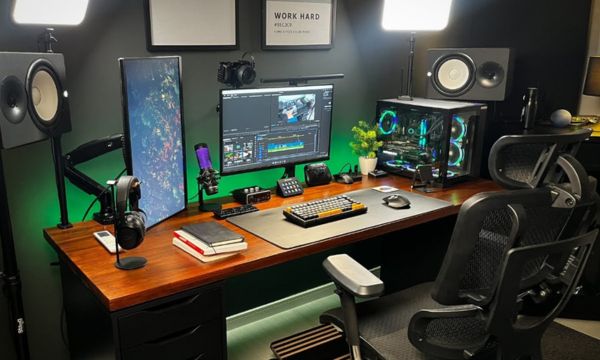
Lighting and details that make a difference
Lighting is what really adds personality to your gaming setup and transforms the environment.
RGB LED lights are the most commonly used to create a modern look and a fully personalized space.
You can adjust the colors according to your style, mood, or even the type of game you are playing.
In addition, well-planned lighting helps reduce eye strain during long sessions.
Other details also make a big difference in the final result:
- Headset stand for organization
- large mousepad for greater comfort and precision.
- themed decor to make the space feel like yours.
👉 Small details make your setup much more interesting and complete.
Final adjustments for a more comfortable setup
After setting up your gaming space, comes the most fun part: adjusting everything and making it perfect your way.
These details make all the difference in comfort, performance, and even how you feel while playing.
The height of the monitor should be aligned with your eyes, avoiding that uncomfortable strain in the neck.
Your arm position should feel natural, without effort, so that you can play for hours without even noticing the time pass.
Keeping the environment well ventilated is also essential, especially during more intense sessions.
And do not forget to adjust the screen brightness and contrast to make everything sharper and more comfortable.
👉 It is in these details that your setup improves and you get fully focused in the game!