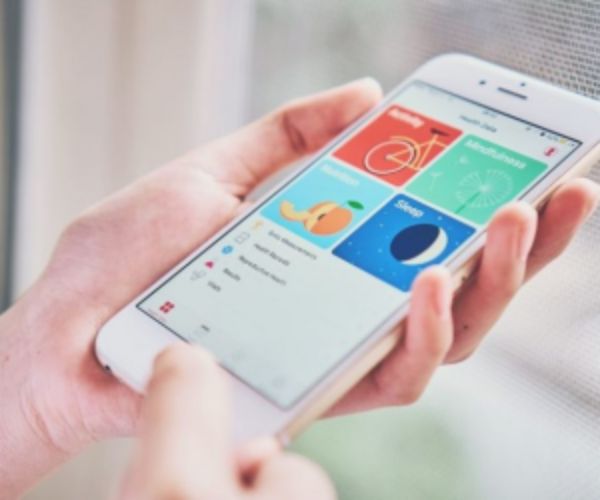
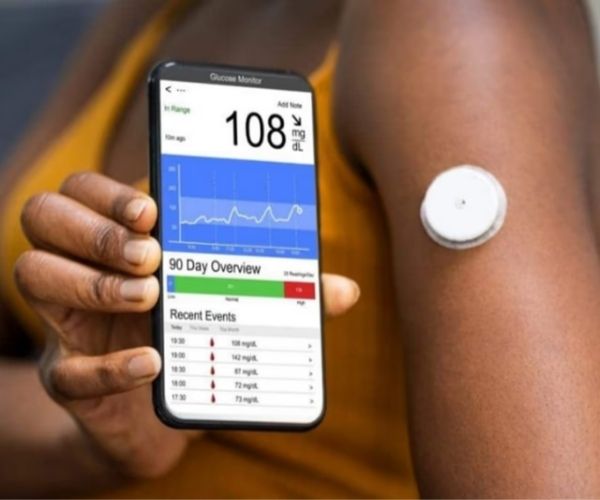
Using Samsung Health can be the first step toward a healthier routine.
If you want to take better care of your health in everyday life, Samsung Health can be a great ally for tracking habits and organizing your routine.
With it, it becomes much easier to understand your body and build a healthy routine in a practical way.
And the best part: you can start simply and progress gradually, without complications.

Get to know Samsung Health and how it works.
Samsung Health is a complete app focused on health and wellness monitoring.
Advertisement
It brings together in one place various important pieces of information from your daily life, making it easier to track your habits.
With it, you can track:
- Physical activity
- Daily steps
- Sleep quality
- Nutrition
- Stress levels
Everything is organized in a visual and easy-to-understand way.
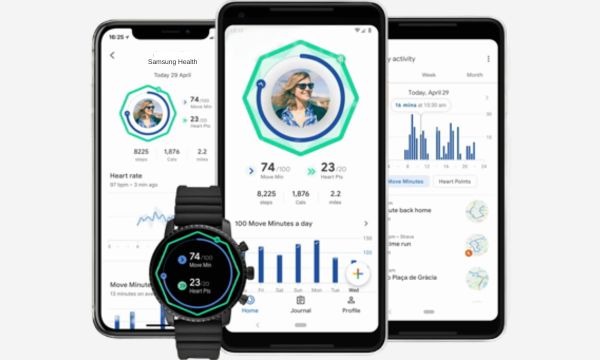
The app collects data automatically in many cases, especially when connected to a Samsung SmartWatch, which makes tracking even more complete and accurate.
Even so, you can also manually enter information whenever you want.
Main features that make a difference in your daily life.
The biggest advantage of Samsung Health is how it turns data into something useful in your daily routine.
Advertisement
One of the most popular features is the step counter, which encourages you to move more, even on busy days.
Another highlight is sleep tracking, which helps you understand not only how long you sleep, but also the quality of your rest.
In addition, the app offers:
- Exercise tracking with various activities
- Food tracking to monitor your nutrition
- Stress monitoring with breathing suggestions
- Heart rate tracking (on compatible devices)
These features make monitoring more complete and help you gain an integrated view of your health.
How to use the Samsung Health app step by step
Getting started with Samsung Health is simple, even if you’ve never used an app like this before.
1. Download the app and create your profile.
After installing the app, you create a basic profile with information such as age, weight, and goals.
This helps the app understand your current situation and offer more personalized suggestions.
2. Set your initial goals
From there, the app starts suggesting personalized goals.
You can set, for example:
- daily step goals
- Frequency of physical activity
- sleep-related goals
👉 This already creates a clear direction for your routine.
3. Start with the basics
The most important thing here is to start small, you don’t need to use all the features at the same time.
You can start simply by tracking your steps or recording a daily walk.
4. Gradual progress
Over time, you can add new habits, such as:
- Food tracking
- Sleep monitoring
- Tracking other habits
👉 Gradual use makes the experience lighter and more sustainable.
Benefits of using the app daily
Using Samsung Health every day brings a series of benefits that go beyond the physical.
One of the main ones is increased awareness of your health.
When you start to track your data, you begin to notice patterns in your behavior.
For example:
- Days when you move less
- Nights when you sleep poorly
- Periods of higher stress
This information helps you make simple adjustments that are very effective.
Another important benefit is ongoing motivation; seeing your progress, even if it’s small, encourages you to keep going.
In addition, the app helps create a more balanced routine without requiring radical changes.
Smart integrations with watches and other apps
Samsung Health works very well on its own, but the experience becomes even more complete when integrated with other devices, especially Samsung Smartwatches.
When you use a smartwatch from the brand, you gain access to more accurate data in real time.
Among the advantages:
- Continuous heart rate monitoring
- Detailed sleep analysis
- Automatic activity tracking
- Stress monitoring throughout the day
In addition, the app also allows integration with other health apps, expanding your possibilities.
If you want to get the most out of Samsung Health, using a Samsung SmartWatch makes a big difference in data quality and the overall experience.
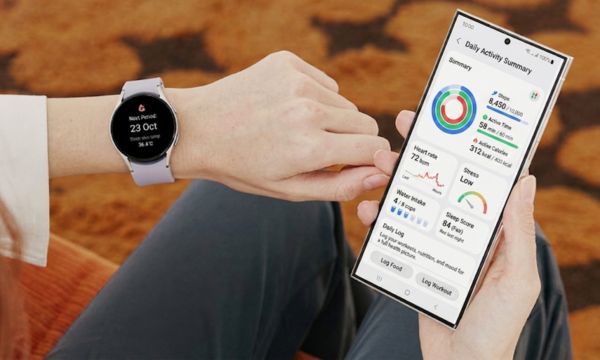
Practical tips to get the most out of Samsung Health
To get the most out of Samsung Health, a few simple actions can make a big difference in your daily life.
- Set realistic goals: Helps maintain consistency without frustration.
- Avoid overly ambitious goals at the beginning: this makes the process lighter and easier to maintain.
- Track your data regularly: Helps you understand your progress and adjust your routine.
- Explore the app gradually: This makes it easier to use and prevents overload.
- Use it consistently and lightly: That’s what truly brings results in the long term.
At the end of the day, the most important thing is to maintain a simple and consistent routine.
Common mistakes when using health apps (and how to avoid them)
Although it’s a very useful app, some mistakes can interfere with your experience when using Samsung Health.
One of the most common mistakes is trying to use all the features at once, which can lead to overload and discouragement.
Another mistake is focusing only on numbers and forgetting about well-being.
Data is important, but it should guide you, not pressure you.
During use, some habits can make your progress more difficult:
- Setting unrealistic goals: They can cause frustration when they don’t fit your routine.
- Giving up in the first few days: This happens when results don’t appear quickly, which is normal at the beginning.
- Comparing your results to other people’s: It can discourage you and shift the focus away from your own progress.
Ultimately, the ideal approach is to use the app as an ally, respecting your pace and valuing your progress.
Start taking care of your health today with Samsung Health.
If you want to improve your routine and take better care of yourself, the app can be an excellent starting point.
It helps you understand your habits, track your progress, and make changes in a simple way.
You don’t need to change everything at once—start slowly. Over time, you’ll notice how small changes lead to big results.
And in the end, the most important thing to remember is: taking care of your health doesn’t have to be complicated.
With the right tools, like Samsung Health, it becomes much easier to create a balanced, mindful, and sustainable routine.