If you love playing on PlayStation, you’ve probably already heard of the PlayStation app.
But if you still don’t know it, don’t worry! I’ll explain everything about this amazing app that will make your life much easier.
This is Sony’s official app and can be used by those who Have PS4 and PS5 to manage their information, interact with friends, and access the PS Store through their mobile phones.
But that’s not all!
Advertisement
You can also compare trophies, keep your friends list updated, view recent activities, and check news from the PlayStation Blog website and leave your comments.
It’s worth noting that the PlayStation app does not have gameplay features.
Although it doesn’t offer features different from those already available on the PS4 or PS5, it is a more practical way to access some resources.
PlayStation Network features for when you are away from the console.
But is it really worth trying the app?
That’s what we’re going to find out in today’s post. Keep reading and find out!
Advertisement
What Is the PlayStation App?
The PlayStation app is an official app developed for PlayStation consoles such as the PS4 and PS5.
It was created to allow users to manage their information, interact with friends, and access the PlayStation Store directly from their mobile phones.
Even if you’re not a technology expert, the PlayStation app is very easy to use and offers many advantages.
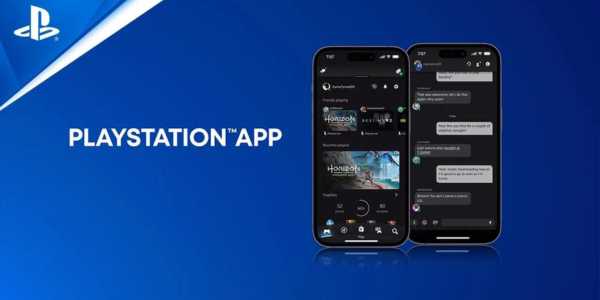
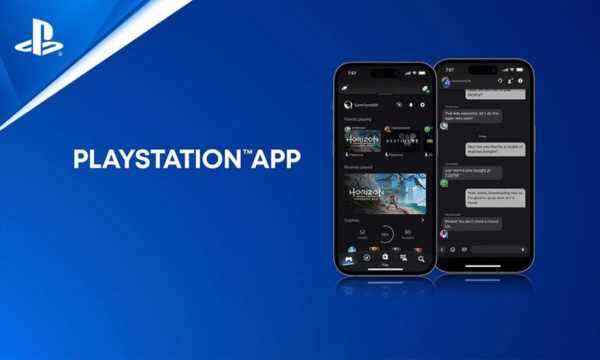
With it, you can connect with your friends playing online, send messages, plan multiplayer sessions, and even compare trophies. All this without needing to be near the console!
In addition, the PlayStation app offers an intuitive and easy-to-use interface, making the browsing experience enjoyable for all users, regardless of their level of familiarity with technology.
Connect with Your Friends
One of the best things about the PlayStation app is being able to connect with your friends wherever you are.
Imagine being away from home, but wanting to know if your friends are available to play.
With the PlayStation app, you can see who is online, send messages, and even chat by voice, all of this anywhere on your phone!
Besides staying in touch with your friends, the PlayStation App is also great for discovering new games and keeping up with the latest news from the PlayStation world.
You can buy games directly from the store, receive notifications about releases, and even pre-order games that will be released soon.
To ensure user privacy and security, the PlayStation app offers privacy settings options, allowing you to control who can see your activities and interactions on the platform.
Discover New Games and News
One of the most interesting features of the PlayStation app is the ability to control the console from anywhere that’s right!
With the app, you can download games manage your PS5 storage, and even start remote gaming sessions, all from your smartphone—amazing, isn’t it?
In addition, the PlayStation app offers seamless integration with other Sony services, such as the PlayStation Blog and the PlayStation Store.
This means you can access all the latest news, videos, and game releases directly through the app, staying up to date with the PlayStation universe.
Conclusion
Now that you know more about the PlayStation app, don’t waste any time and Download it to your phone, connect with your friends, discover new games, and control your console from wherever you are. Fun is just a tap away!
Frequently Asked Questions
1. Can I use the PlayStation app on any device?
Yes, the PlayStation app is available for Android and iOS devices, so you can download it to your phone or tablet.
2. Do I need a PlayStation console to use the PlayStation app?
Yes, to enjoy all the features of the PlayStation app, you need to have a PlayStation Network account and a PS4 or PS5 console.
3. Is the PlayStation app free?
Yes, the PlayStation app is free to download and use. There are no additional costs to access its features.
4. Can I buy games through the PlayStation app?
Yes, you can buy games, including pre-orders and exclusive discounts, directly from the PlayStation Store through the app.
5. Does the PlayStation app use a lot of my phone’s battery?
The PlayStation app’s battery consumption depends on usage, but it is generally not significant. You can adjust notification and data usage settings to save battery if you want.