Find out right now if you’ve been blocked on WhatsApp!
4 easy ways to solve this mystery and understand what’s going on.
Learn how to identify whether someone has blocked you on the world’s most popular messaging app. Enjoy our article.
Want to know if someone has blocked you on WhatsApp?
Advertisement
Sometimes we’re chatting with someone and, out of nowhere, their profile picture disappears. Did they block us?
To date, WhatsApp has not added any specific warning to tell us that we’ve been blocked by a particular person.
Let’s agree that it would be very useful! But there are some simple ways to find out whether this happened or not.
Keep reading the post and follow the signs that may indicate this. Let’s go!
1. You can’t see the person’s profile picture
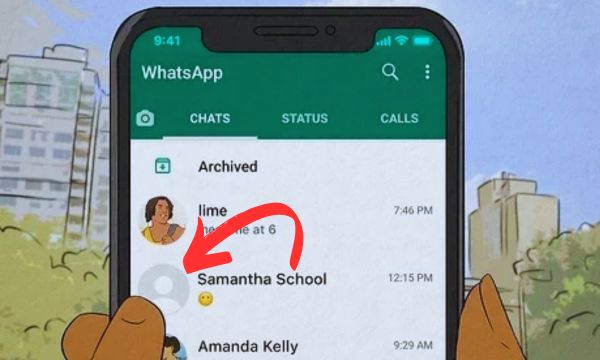
This is certainly one of the first signs that the alerts are already going off and that the person may have blocked us on WhatsApp.
The app’s own developers indicate that as soon as someone blocks another person, their profile picture disappears instantly.
Advertisement
And users who have already been blocked sometimes say this happens. So, if you’re sure the person changed their photo and it isn’t showing up for you, it’s very likely that you’ve been blocked.
2. The person’s “Online” status is not visible
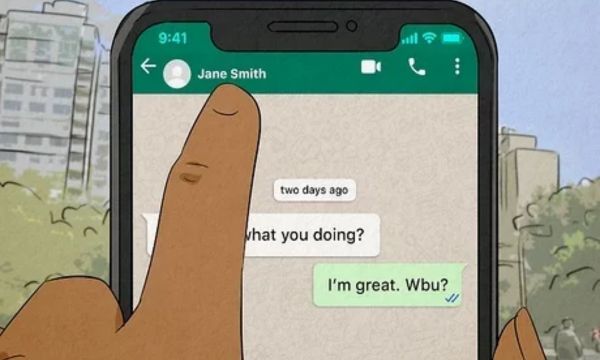
If, when entering the person’s chat, you can’t view their online status or see the last time they accessed the app, it’s quite possible that you’ve been blocked.
When a person is blocked, you automatically stop seeing their status.
However, with the app’s latest updates, some settings can be adjusted.
Maybe the person just changed their privacy settings and is hiding their “last seen” or even their “online” status.
3. When you send a message, only one check mark appears
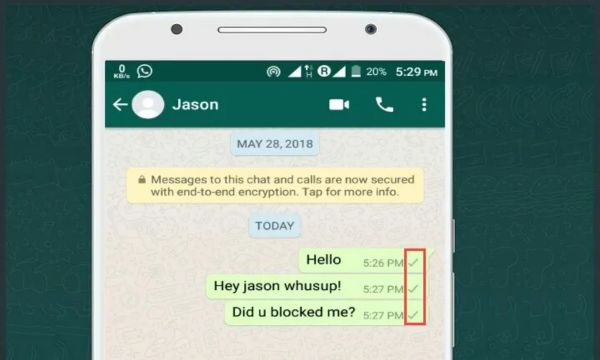
This can indicate whether you’re blocked or not. If you send a message to someone and only one check mark appears, you may have been blocked.
When one person has not been blocked by another, sending a message shows check marks indicating that the message was sent and received successfully.
Otherwise, the messages will never reach the other person, and you’ll only see one check mark.
4. Calls don’t go through on WhatsApp
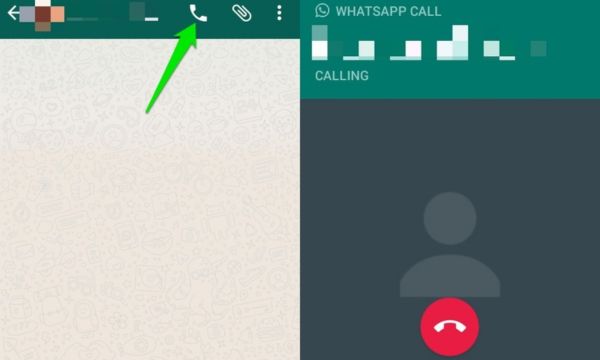
A good way to test whether the person blocked you on WhatsApp is to make a call using the app.
If the block really happened, all contact with that person is cut off by the app, so you won’t be able to complete the call.
If you’ve already tested all the methods shown above and nothing worked, you can conclude that you were indeed blocked.
Since it can happen that you’re able to see the profile picture, but forwarded messages show only one check mark, the person may be without an internet connection or even have their phone turned off.
There are also cases where the person wants to use their profile picture for a certain period of time, or it’s even possible to block which contacts can or cannot see their photo.
That doesn’t mean you’re blocked; these are just some settings that can be adjusted in the app.
To finally be sure that you’ve been blocked, check whether all the signs above are happening.
If so, then there was indeed a block.