Our phones are essential, but battery life still leaves a lot to be desired.
But not all is lost!
With apps that allow battery optimization, you don’t need to panic when you see that dreaded red bar!
Despite advanced smartphones, battery life can be frustrating. Good news: that won’t be a problem anymore!
Advertisement
Battery optimization apps let you manage power better and even optimize your smartphone’s performance in a simple and convenient way.
If you’ve made it here looking for a solution, stay with me and get ready to discover all the features of the best apps and enjoy a longer-lasting experience from your battery.
So, what are we waiting for? Come check it out!
So, what are the apps to increase your phone’s battery life?
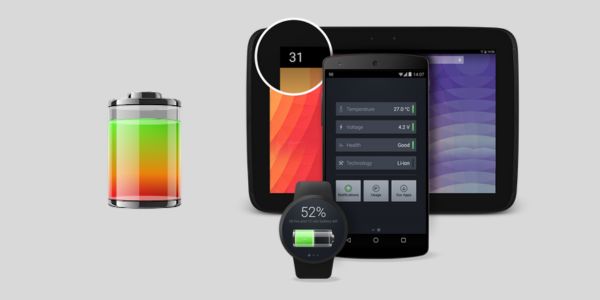
Battery [Android]
This app was designed especially for Android users. It shows the remaining charge percentage and the estimated time, using battery saver mode.
Its interface has a distinctive design, with a black background, which really stands out. Using this battery optimization app, the user can simulate certain situations to find out how many minutes or hours the battery can last.
Finally, it recommends tips on how to keep your phone performing well at all times. Oh, and of course, I can’t fail to mention that it’s worth enabling notifications.
Advertisement
So, if the app detects any irregularity related to voltage, temperature, among other things, you will be notified immediately.
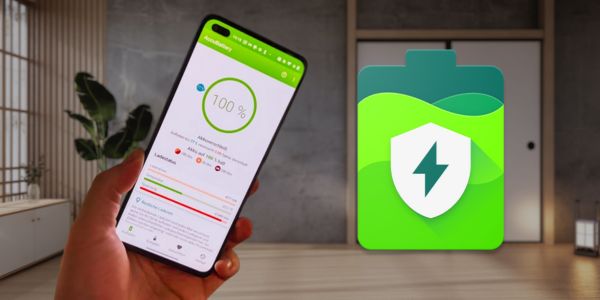
AccuBattery [Android]
Many people don’t know this, but every mobile device has a certain number of charge cycles throughout its useful life. With AccuBattery, it’s possible to know the battery’s charging capacity and even the wear it suffers in each cycle.
In addition, this innovative battery optimization tool provides statistics on current charging performance. This can be very useful, as users can estimate how long the battery will last before it runs out so they can grab the charger!
But that’s not all! Among its useful features, it has a charging alarm for healthier battery use, battery history, among others. Everything so that your device’s battery suffers the least possible wear and its useful life is extended.
Battery Life & Health Tool [Android]
This digital tool is a professional app for checking your battery’s status. It has a simple, intuitive, and fast interface, which makes it easy to use.
With just one click, the app allows you to calibrate the battery and check its status, showing voltage, temperature, technology, voltage indicator, and much more.
All this so you can instantly calibrate the battery status of your device.
Battery HD+ [ Android | iOS]
If your phone’s battery used to be a headache, with this app that will be a thing of the past! This battery monitor is an excellent option for your device.
In addition to having a simple and beautiful interface, it can be easily customized according to your needs.
What stands out most about this battery optimization app is that it shows how many hours are left to:
- Talk on voice calls;
- Watch videos;
- Listen to music;
- Browse the internet;
- Take photos;
- Read books;
- Make video calls;
- Record videos;
- Standby.
These are just a few examples, since the app includes many different situations. This way, you’ll be able to get an idea of what you want to do on your smartphone.
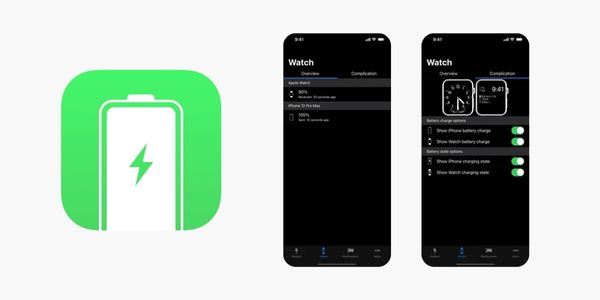
Battery Life [iOS]
Instantly monitor your iPhone and Apple Watch battery data with Battery Life. This battery analysis tool has been winning over millions of users since 2014.
The app provides detailed information about usage times, internal and external battery data, keeping you constantly updated on the corresponding charges.
It also offers several useful features, such as the ability to monitor the usage times of your Apple devices, details about paired devices, and much more.
It’s worth noting that both the iOS app and the Apple Watch can display battery charge levels. For a more complete experience when using the app, set up alerts to receive messages when the Apple Watch and iPhone battery reach a predefined charge level.
Step by step to download these apps
I have no doubt these apps will be very useful in your daily life. Choose the one that best suits your needs and download it to your phone by following these simple steps:
- Open your phone’s app store (Google Play or app Store).
- In the search field, type the name of the app you want to download and click the magnifying glass.
- As soon as the search result appears, click the open icon to open its page.
- Then click the “Install” or “Get” button, depending on your device’s system.
- Wait a few seconds while the download is completed. Installation will be done automatically.
- To start using the app, look for the icon that will appear on your phone’s screen and tap it. Then follow the initial instructions that appear.
Tips to reduce your phone’s battery consumption
Now you’re equipped with the best battery optimization apps. If you want to make usage last even longer, check out some tips that will help you reduce consumption:
- Reduce screen brightness;
- Disable background updates;
- Reduce screen lock time;
- Close background apps;
- Avoid using animated wallpapers;
- Use notifications in moderation.



