Did you know that TikTok originated in China? It was once called Musical.ly, but it soon changed its name to what we know today.
On this platform, people create and share their videos, applying filters and making various edits.
It’s no secret that the platform is growing every day, and certainly many people also want to be there, but may still feel some hesitation or not know how to create an account.
So, if you’re interested and want to start posting your videos, but don’t even know where to begin, don’t worry.
Advertisement
In today’s article, I’ve prepared a complete guide for you to learn how to create a TikTok account and start putting all your creativity into action today. Let’s go!
Step 1: Download the TikTok app
To download TikTok on your device, go to the app store (Google Play or App Store) and type “TikTok” into the search bar.
In a few moments, it will appear on your screen. Then click the “Install” option.

Step 2: Install the TikTok app
As soon as the download is complete, TikTok will be installed on your device and you’ll be able to start browsing videos.
But first, when you open the app for the first time, it asks you to select your interests so it can offer better video recommendations.
After choosing your preferences, click “Next.”
Advertisement
Step 3: Create your account
Since I know your main goal on TikTok may not be just to watch videos, but to create content, you need to create an account in the app.
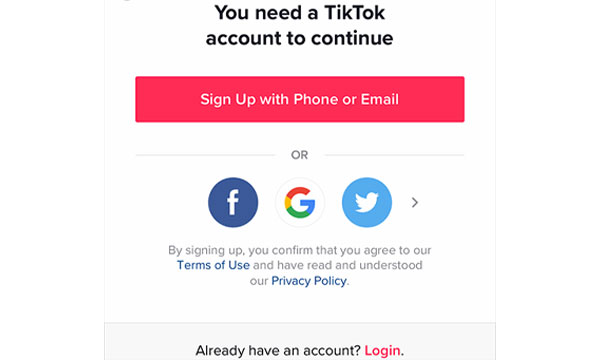
To do this, choose one of the methods to create your account: use your phone number or email, or continue with Facebook, Google, or Twitter.
Click the desired option and follow the instructions that appear on the screen.
It’s important to note that your email and phone number must be valid, as they will be needed to create the account and when you need to recover your password if you forget it.
Step 4: customize your profile
Now that you’ve created your account, you can customize your profile however you like.
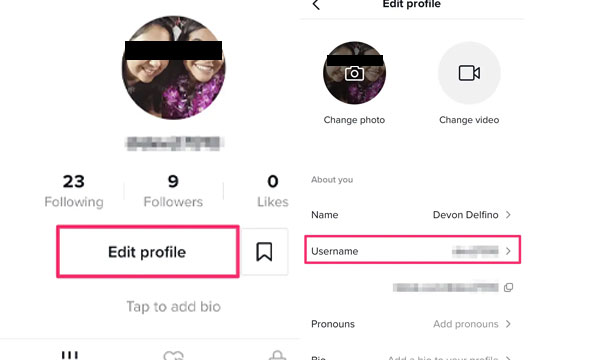
Usually, when we create the account, the app itself assigns a generic username, but this can be changed easily.
To change your username, tap “Profile” at the bottom of the main screen and then “Edit Profile”.
Now you can choose a more unique name, as well as add a profile photo, bio, photos, or even a profile video.
Step 5: Explore and interact
After completing all the steps to customize your profile, how about exploring and checking out the available videos now?
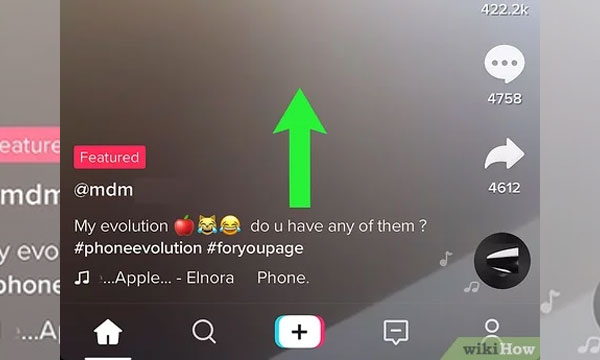
Go back to the home screen and start browsing TikTok.
To do this, swipe up on the screen with your finger. If you want to like a video, you can double-tap the screen (you’ll see a heart appear).
There are also other types of interaction, such as commenting on a video, adding it to favorites, and sharing the video on other platforms, such as WhatsApp, Instagram, Facebook, etc.
Step 6: Create your own videos
Now comes the most fun part of TikTok, creating your own content!
You’ve probably already posted a story on Snapchat or Instagram, so the features available on TikTok won’t be completely unfamiliar to you.
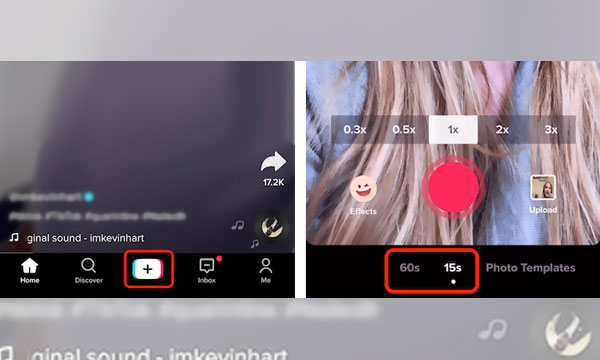
To create your own videos, the first thing to do is tap the “+” at the bottom of the home screen.
Then, a new screen will open with various tools on the right, such as flip, speed, filters, makeup, timer, voice filter, and flash.
Then, to add music, tap “Add sound” at the top of the screen. And just below, you can choose the length of your video.
When you’re ready to start the video, tap the red circle.
When the time is up, you can immediately see how the video turned out. If you like the result, click “Post”. Done. Now all that’s left is to wait for the likes!
Remember that if you already have a video in your phone’s gallery, you can post it as well.
Step 7: use relevant hashtags
Without a doubt, hashtags help your videos get more views, as they are a way for other users to access your content more easily.
So, if you want to get lots of views and likes, always use relevant hashtags in your TikTok videos.
Think of words that relate to your content and make an impact.
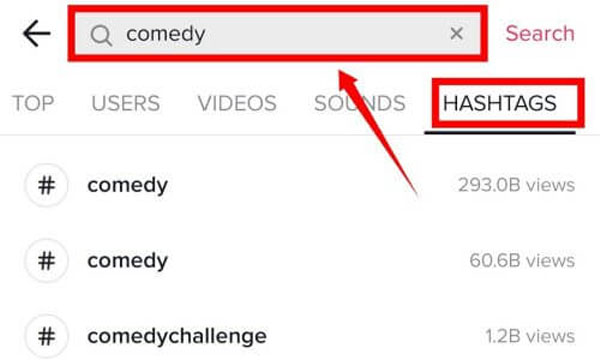
If you don’t know what to use, you can search for the most-viewed hashtags.
To do this, tap the magnifying glass at the bottom of the home screen. Then choose “Hashtags” from the horizontal list and see which ones have the most views.
Now you know, don’t forget the # !
Step 8: Participate in challenges
Now that you understand a little better how everything works, it’s important to know that the challenges that appear daily on the platform are what bring the community together, and they are often even sponsored by advertisers.
If you want to stay on top of all the trending challenges, tap the magnifying glass again and, under “Top”, see the best videos and what the current challenges are.
This way, you can also get inspired by other content creators.
Step 9: maintain consistency
There’s no point in posting a video today and then disappearing afterward.
TikTok users are always hungry for new and fun, engaging content.
If you really want to enter this world and get noticed, you need to maintain a certain posting frequency for your videos.
Maintaining a presence on TikTok certainly requires time and commitment to truly stand out from the crowd.
So, the golden tip here is this: create your posting schedule.
That way, you’ll be posting regularly enough to maintain a steady flow of content.
Oh, and from time to time, if you want to be a little bolder, you can try doing live broadcasts.
This can help attract a larger audience. So remember: stay present and post consistently.
Step 10: Interact with the community
Interacting with other users is essential to start gaining your first followers.
That’s why it’s so important to engage with the community whenever possible.
If someone leaves a comment or constructive criticism on one of your videos, like it and reply.
It’s also interesting to interact with other creators.
Now that you know how to create a TikTok account and start creating and sharing amazing videos, remember that fun and authenticity are essential.
Don’t worry too much about perfection, because TikTok is a place to express your unique personality.
So go ahead and start your journey on TikTok!