PDF has now become one of the most widely used formats for those who need to present and exchange information in document form.
In addition, converting files to PDF is a very simple task if you use the right tools.
If you made it this far, you surely want to convert your files to PDF.
And to help you with this task, I’ve put together a complete guide with step-by-step instructions so you can convert your files to PDF in just a matter of seconds.
Advertisement
Let’s check it out!
What is a PDF file?
The PDF format was created more than 20 years ago with the aim of developing a format that would allow the digital display of files from different sources, and its acronym stands for Portable Document Format.
Its success to this day is certainly due to its ability to preserve the characteristics of the original document, even keeping colors and fonts intact, which is why it is widely used in graphic work.
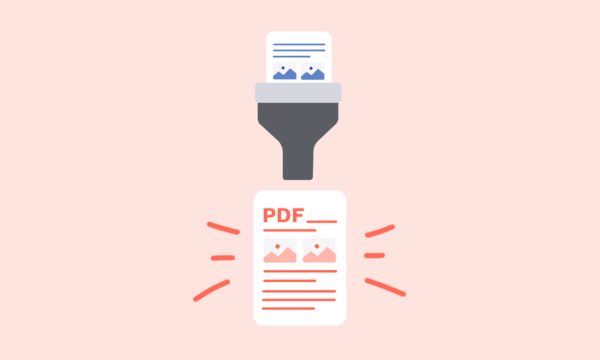
Why should you convert files to PDF?
This is certainly an excellent question.
Below, I show some of the main reasons that will make you want to convert your files to PDF. Check them out below:
Quality
- PDF can maintain the quality of text and presentation files, in addition to preserving fonts, colors, and specifications. This makes it a safe option for those who want to print the document.
Durability
- Although other formats may be difficult to access a few years from now, PDF files can still be accessed decades from now. This ensures that documents are not lost over the long term.
Full control
- The PDF format allows the user to limit access and restrict the use of features by other people.
Compatibility
- PDF files can be accessed on computers, tablets, smartphones, and even e-readers.
File conversion tools
To convert files to PDF, there are several tools available that can perform the conversion in just a matter of seconds.
Advertisement
Among the best are: Adobe Acrobat, PDFelement, Foxit, SmallPDF and EaseUs PDF Editor.
How to convert a file to PDF step by step
As you can see, there are different tools for converting files to PDF.
Therefore, in the step-by-step guide below, I’ll show you how to perform the conversion using Adobe Acrobat, since it is widely used software. See the steps below:
- Download Adobe Acrobat Reader software to your computer.
- Open Adobe Acrobat Reader on your computer.
- Click the “Select a file” button above or drag and drop a file into the upload area.
- Next, select the document you want to convert.
- After a few seconds, your document will be converted to PDF.
- Download the new file or sign in to share it.
- Done! You will now have a protected document that you can safely share with whomever you want.
Convert PDF to other formats
Despite all the advantages PDF offers, we may encounter some inconveniences when working with it, especially when it comes to editing the document’s content.
Editing a PDF is not as simple a task as it is in other formats.
Therefore, converting a PDF file to another format can be a good alternative.
Using tools and platforms, it is possible to convert PDF to Word, PDF to JPG, PDF to Excel, among others.
If you want, Adobe Acrobat can also help you with this task.
FAQ:
Is it safe to convert files to PDF and vice versa?
Yes. Most platforms and tools available for converting files to PDF offer security and privacy so you can perform the conversion with peace of mind.
Which devices can I use to convert files?
You can use any device, such as a notebook, desktop, smartphone, or tablet. To do this, you can use an online PDF conversion tool.
What type of file can be converted to PDF?
Any file created in one of the MS Office applications, that is, Word, Excel, and PowerPoint files, can be converted to PDF.