Lost your PHONE? Discover essential steps to follow when your device goes missing. Happy reading!
Suddenly, you reached into your pocket, checked your bag, and realized your smartphone was no longer there.
The next step, before really deciding what to do, is to try retracing your steps to remember where your device might be.
However, it is quite common to lose or forget your phone somewhere in the house.
Advertisement
Not being able to find your phone at home is an experience most people have faced at some point.
Fortunately, there are apps available on the Google Play Store that promise to help you find your lost phone. Let’s explore the options:
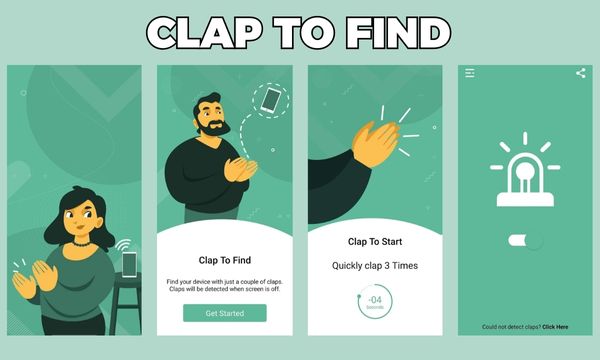
Clap to find
The “Clap to Find” tool is practical and straightforward for locating your phone in everyday situations.
It also includes a widget for easy activation and deactivation, with low battery consumption.
Clap detection is an interesting idea and can save valuable time when you need to find your device.
Find My Phone Whistle: locator
“Find My Phone Whistle: locator” is an app designed to help you locate your lost phone with a simple whistle.
Advertisement
This app is praised for its ease of use and how quickly it solves the problem of finding a lost phone.
Many people rate it positively, highlighting its effectiveness.
Therefore, it is a useful tool for anyone looking to find their phone quickly and easily.

Clap to find your phone
The “Clap to Find Your Phone” app is a free tool that lets you locate your device by clapping.
This app, available on the Google Play Store, offers several features, such as turning on the flashlight when receiving calls, flash alerts for notifications and text messages, among other creative and practical functions.

I really lost my phone, what do I do now?
If you followed the steps above and still haven’t found your phone, it is crucial to act quickly to protect your sensitive data.
Here are the steps to follow when your phone goes missing:
1. Try calling your number – act quickly
Your initial reaction should be to call your own number from another device, as your phone may have simply been lost or stolen.
2. Lock your phone immediately
To protect your data, lock your phone remotely. For iPhones, use “Find My iPhone” and for Android devices, use “Find My Device”.
3. Track your phone using GPS
If your phone is not found, try tracking it using GPS. Google Location History can be useful in this regard.
4. Erase data remotely
If you cannot recover your phone, erase all data remotely to keep it from falling into the wrong hands.
5. Report theft or loss to the police
If you suspect your phone was stolen, file a police report for insurance purposes.
6. Disable the SIM card
Prevent misuse of your number by disabling the SIM card in case of theft.
7. Protect your online accounts
Change the passwords for all your accounts, including social media, to prevent unauthorized access.
8. Unlink your cloud accounts
For greater security, unlink all cloud accounts (for example, Google Drive, Dropbox) from the lost device.
9. Keeping your new phone secure
After getting a new phone, follow these security measures:
- Enable location tracking to track the device in case it is lost.
- Protect the phone with a password, pattern, or facial recognition.
- Keep mobile data turned on so tracking apps can work.
- Regularly back up data to the cloud or offline storage.
10. Consider a phone with a non-removable battery
Phones with non-removable batteries can prevent thieves from removing the battery to avoid tracking.



