Discover the app that adds captions to your Instagram videos: add captions to your Instagram videos with this amazing app.
With it, you can make your content accessible and reach a wider audience.
Apps with video captioning tools can be found for Android and iPhone (iOS).
These tools are essential for posting videos on one of the most widely used social networks today—especially Instagram—even though there is still no built-in tool created for this function.
Advertisement
The apps recognize the voice in the videos and transcribe it instantly.
You can also choose the caption font and its color.
Video captioning is an important accessibility tool, helping increase the reach of the message being delivered.
In addition to videos, you can also add captions to your photos, and there are even Instagram filters with some famous phrases and even a few memes.
Next, we recommend an app that, in addition to captioning your videos and photos, also has countless other features that will amaze you.
The other features can be explored according to each user’s needs, but when it comes to captions, we’ll teach you the step by step in a simple and easy way. Stay tuned!
Advertisement
CapCut
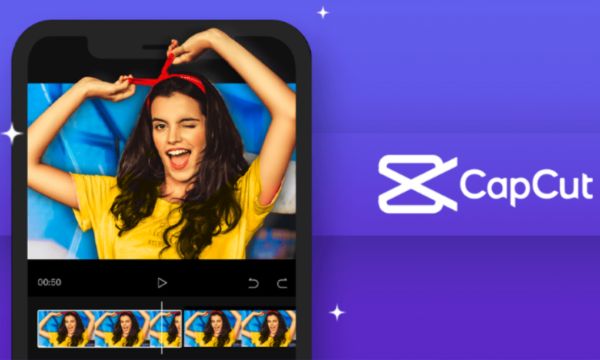
CapCut app for captioning videos
The app in question that offers this video captioning feature is CapCut. It has an intuitive and super clean interface, where you can go through this entire process in a simple and hassle-free way.
Captioning your content is simple—just follow these steps:
- start a new project by selecting the desired video
- under the “text” option, click “auto captions”
- finally, confirm your language and click “continue” to generate the automatic text
- you can also change the caption color, font, and size
The app also has a feature called “batch editing,” where the video’s speech is divided by second and allows the user to correct any incorrectly transcribed words quite easily.
To add captions to photos, as mentioned above, it’s the same process, changing only the first step: instead of selecting a video to begin, simply select the photo you want to caption.
Besides this video and photo captioning tool, in CapCut you can explore countless other editing-related features, especially if you’re learning how to edit—it will be essential for you!
With the tools available in the CapCut app, you can:
- edit videos
- trim
- reverse
- adjust
All these procedures are done simply and can be reversed very easily if you don’t like the result.
The app also offers several high-quality effects, and you can add lighting effects and many other edits, so you’ll be able to create many creative videos and stand out not only on Instagram, but across all your social networks.
The app is available for installation on Android devices and also on iPhone (iOS) for free.
You no longer need to struggle to caption your videos—download the app to your device now and do all your edits in a simple, easy, and fast way. Have fun!



